*
MSP CONFIG
Exploring how AI-powered assistance can streamline MSP configuration workflows
UX Designer and Researcher
My role :
Timeline :
15th Nov to 30th December
Project Type :
Pre-Graduation Project
Team :
Individual
Tarul Shegokar • National Institute of Design • AP
Quick metadata
Project Overview
Soo ...
But... before we go ahead,
and what’s the Configuration section even about?
And when I say scale, I mean thousands of workers, suppliers, and rules running at the same time.
Different people use the same system — hiring managers, MSPs, suppliers, and workers — but each sees a different view based on their role.
Config space is where all the internal teams define rules, approvals, workflows, and thresholds that control how the system behaves for different clients.
Navigation Complexity
High Fidelity Screens.
Repetitive Manual Tasks
Data Visibility Gaps
Managed Service Provider (MSP) users play a critical role in the contingent workforce lifecycle. They act as both client-facing partners and high-volume operators, handling everything from hand-holding hiring managers through complex requests to executing thousands of repetitive back-office transactions.
001
002
003
004
Now, lets take a look at the configuration space.
This is where my project is focused.
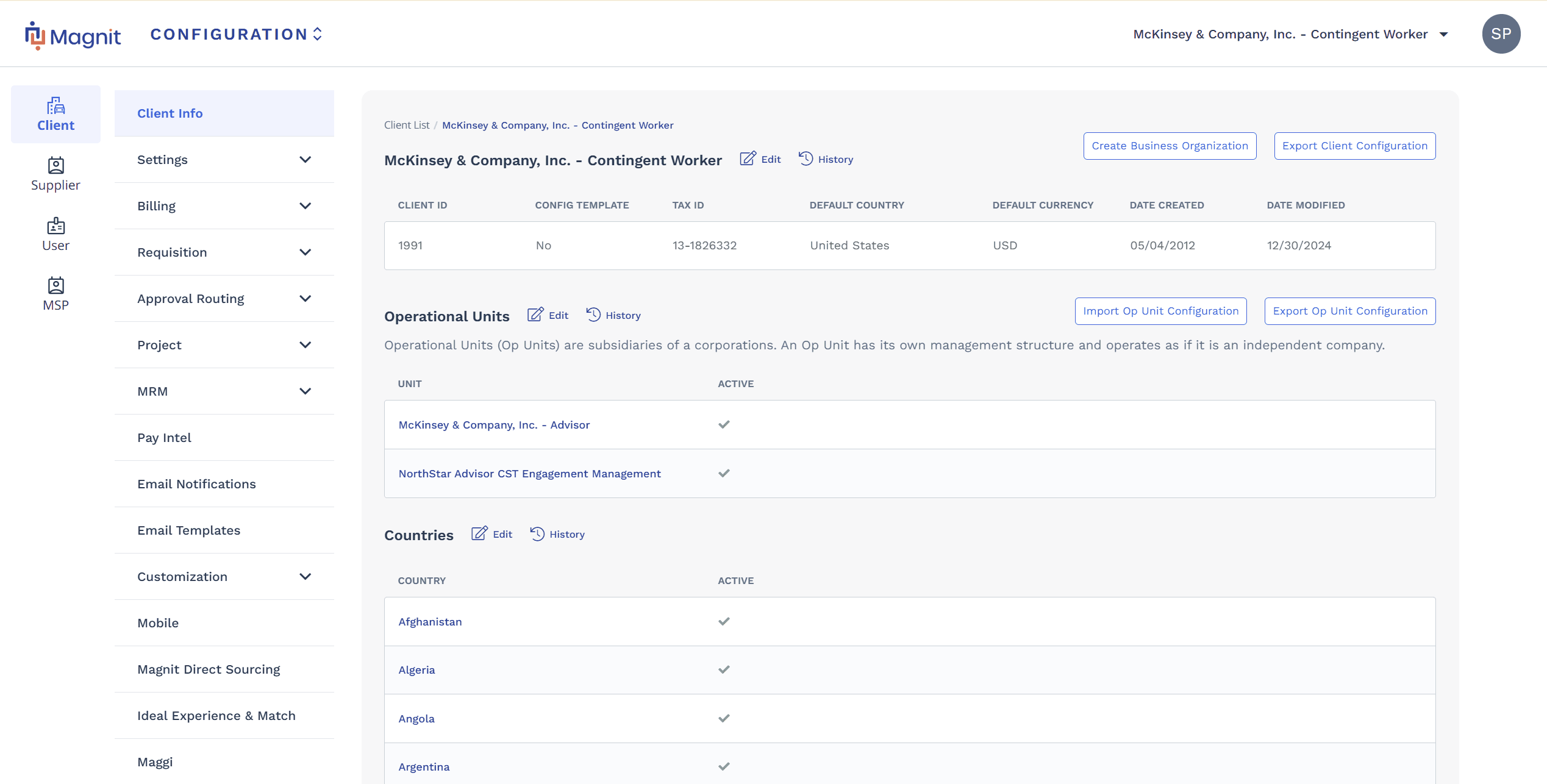
This project focuses only on the Configuration section, from an MSP user’s point of view, to understand why it feels complex and how it can be made easier to use.
I went through internal interview notes and meeting docs shared by my mentor.
Along with that, I spent time deeply exploring the entire Configuration section, going through each area to understand how it’s structured and used.
After putting all of this together, these things became very clear...
Instead of restructuring the entire configuration system, I explored the concept of an AI Configuration Agent as a supportive layer to assist users in locating settings, understanding implications, and completing tasks with greater confidence.
I designed Low-fidelity screens to validate flow and structure, followed by selected High-fidelity screens to demonstrate the AI-assisted configuration experience.
Enterprise complexity is a systems problem, not a screen problem.
Most configuration issues couldn’t be solved by UI tweaks alone- they stemmed from deeply nested structures, fragmented ownership, and misaligned mental models.
Discoverability and confidence are tightly linked.
When users can’t find settings easily or understand their impact, they hesitate- even if the action itself is simple.
AI is most effective as a supportive layer.
The AI agent worked best when it explained, guided, and reduced cognitive load rather than taking control away from users.
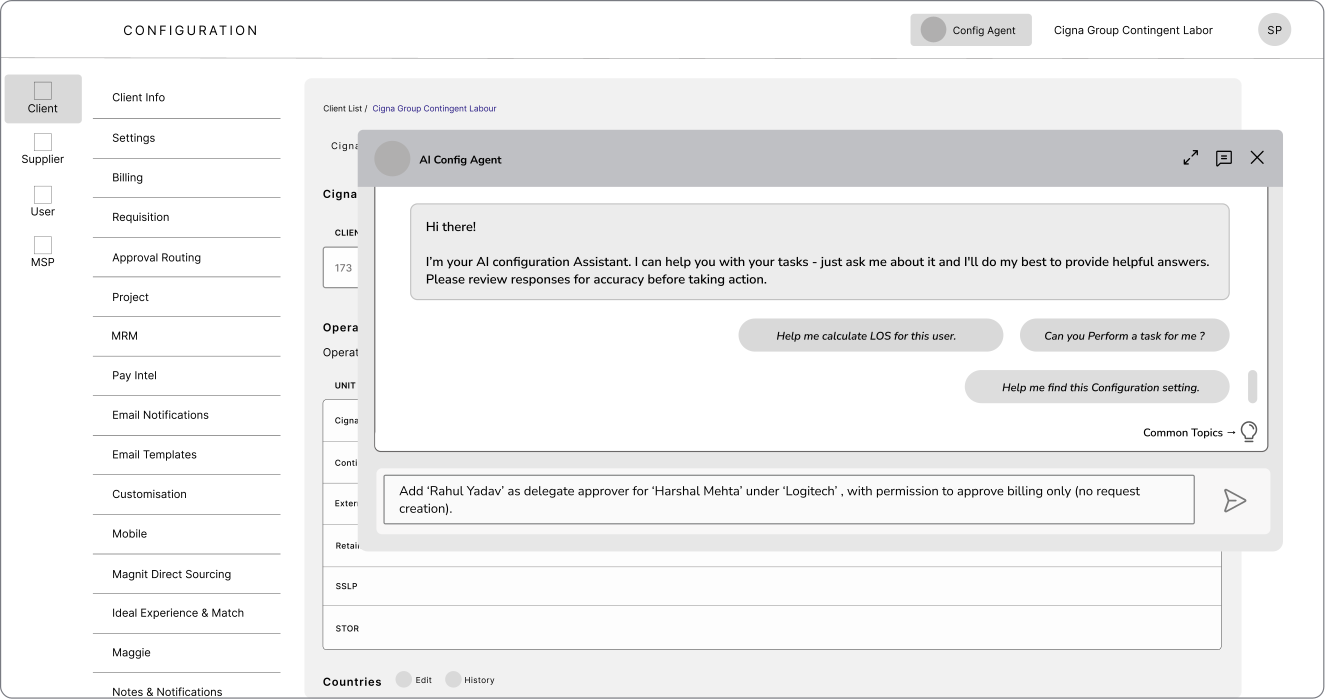
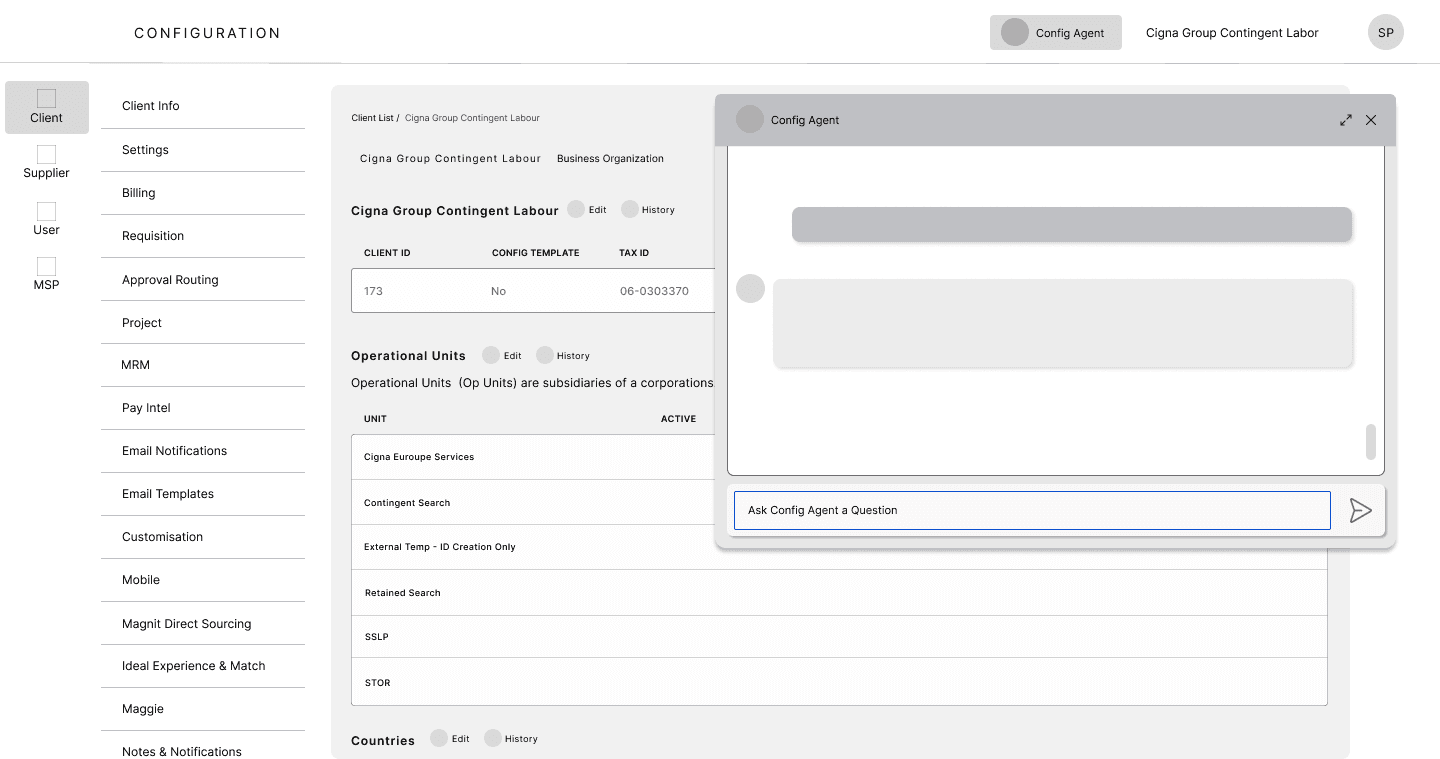
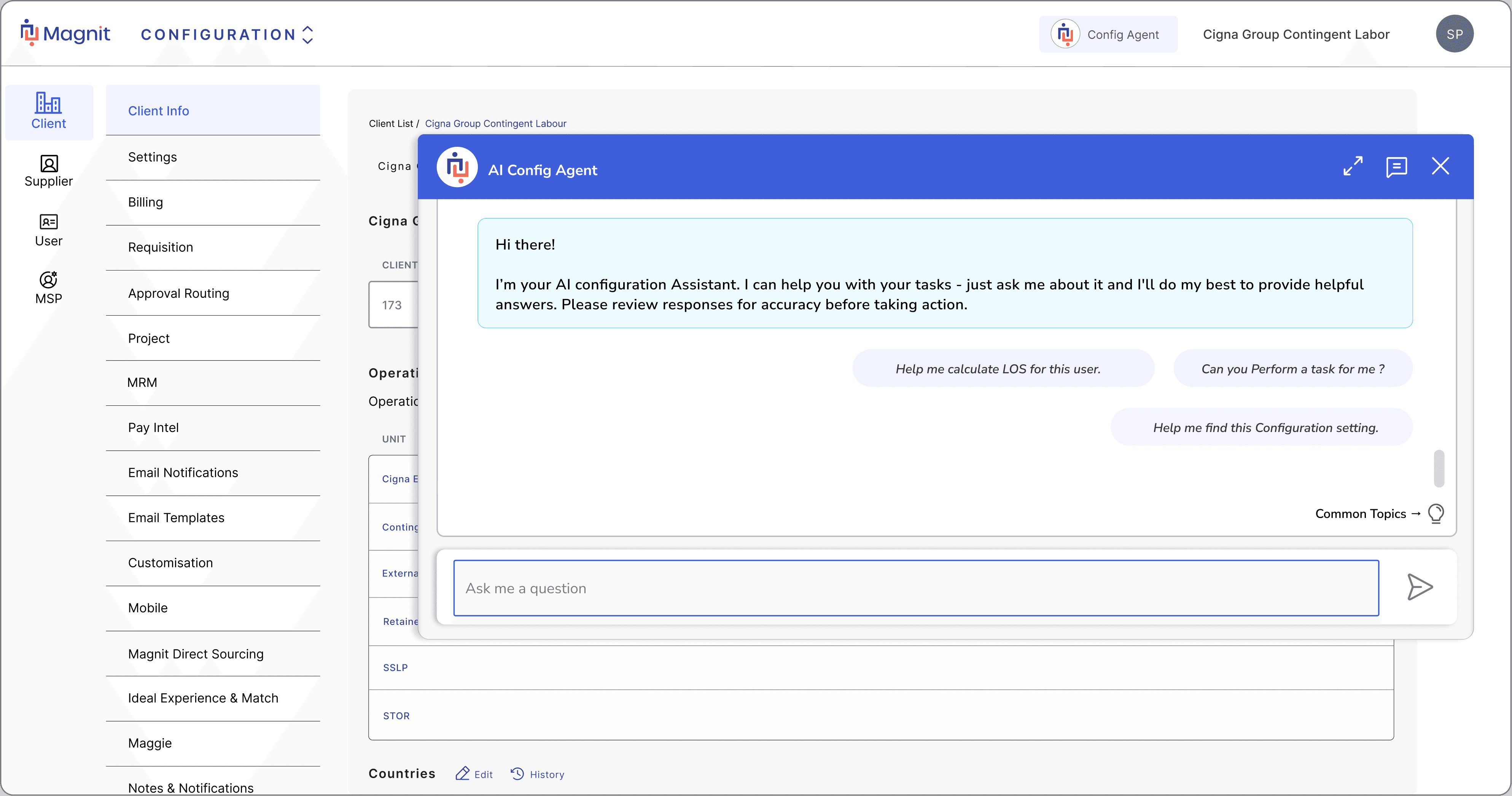
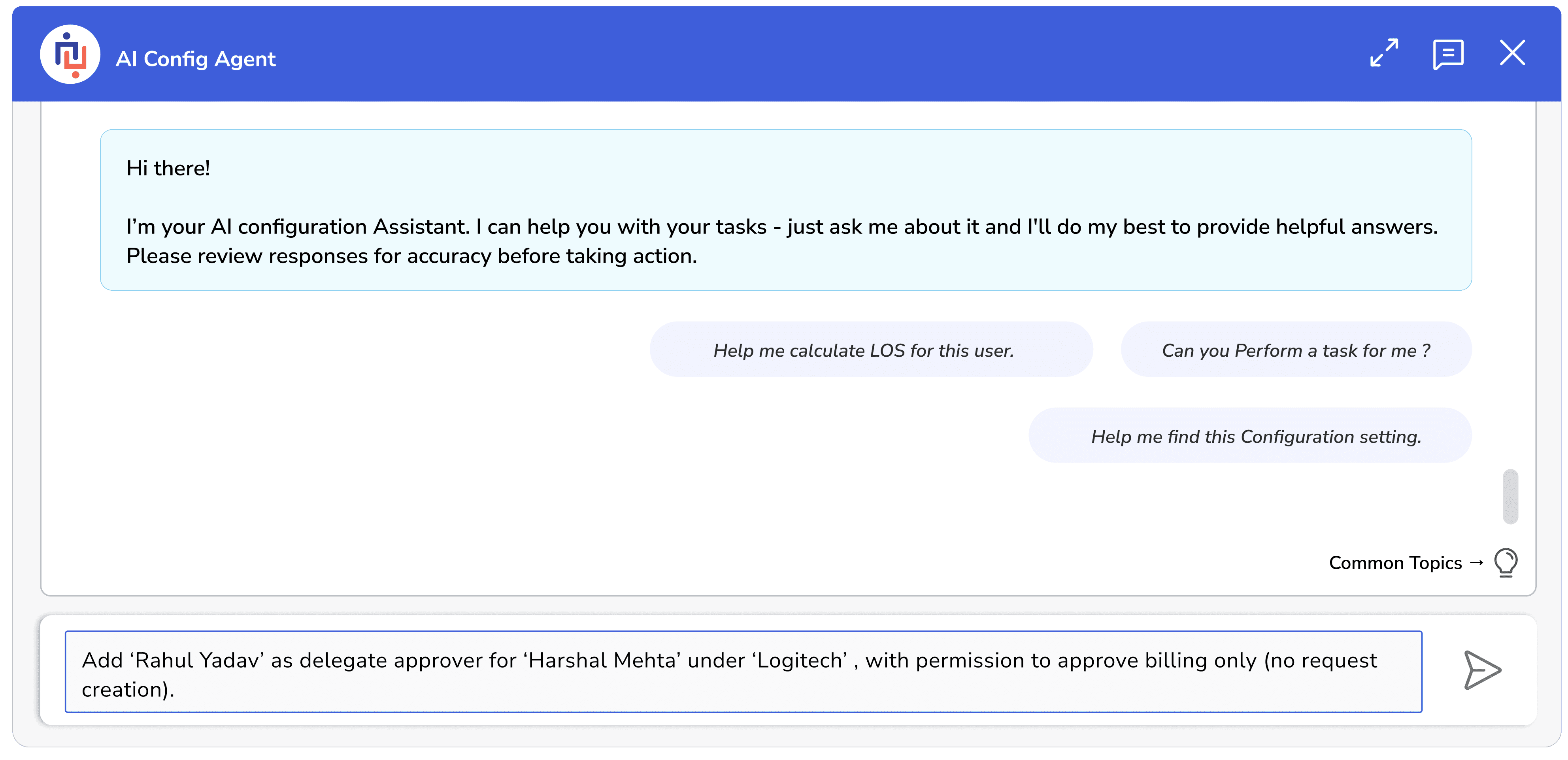
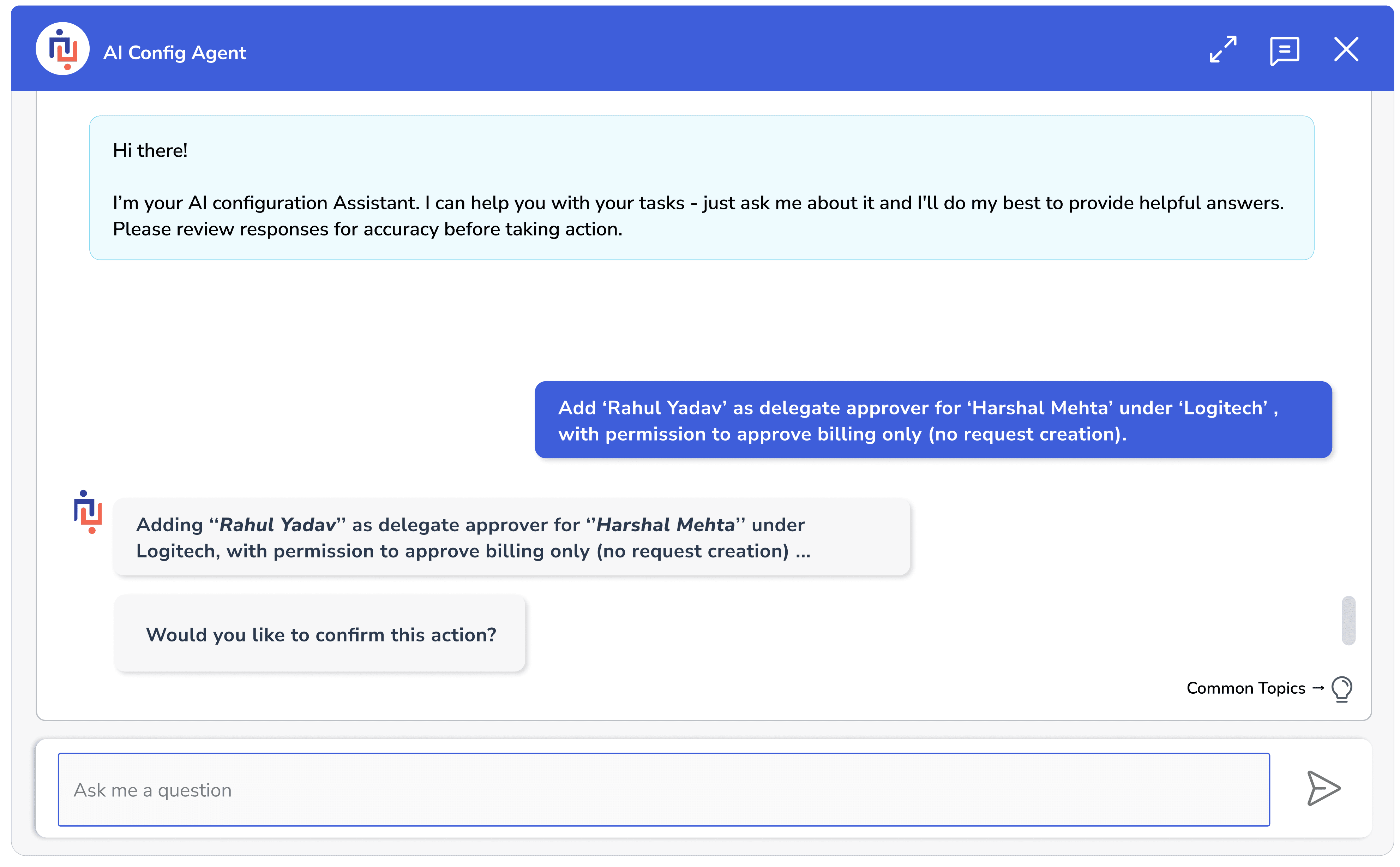
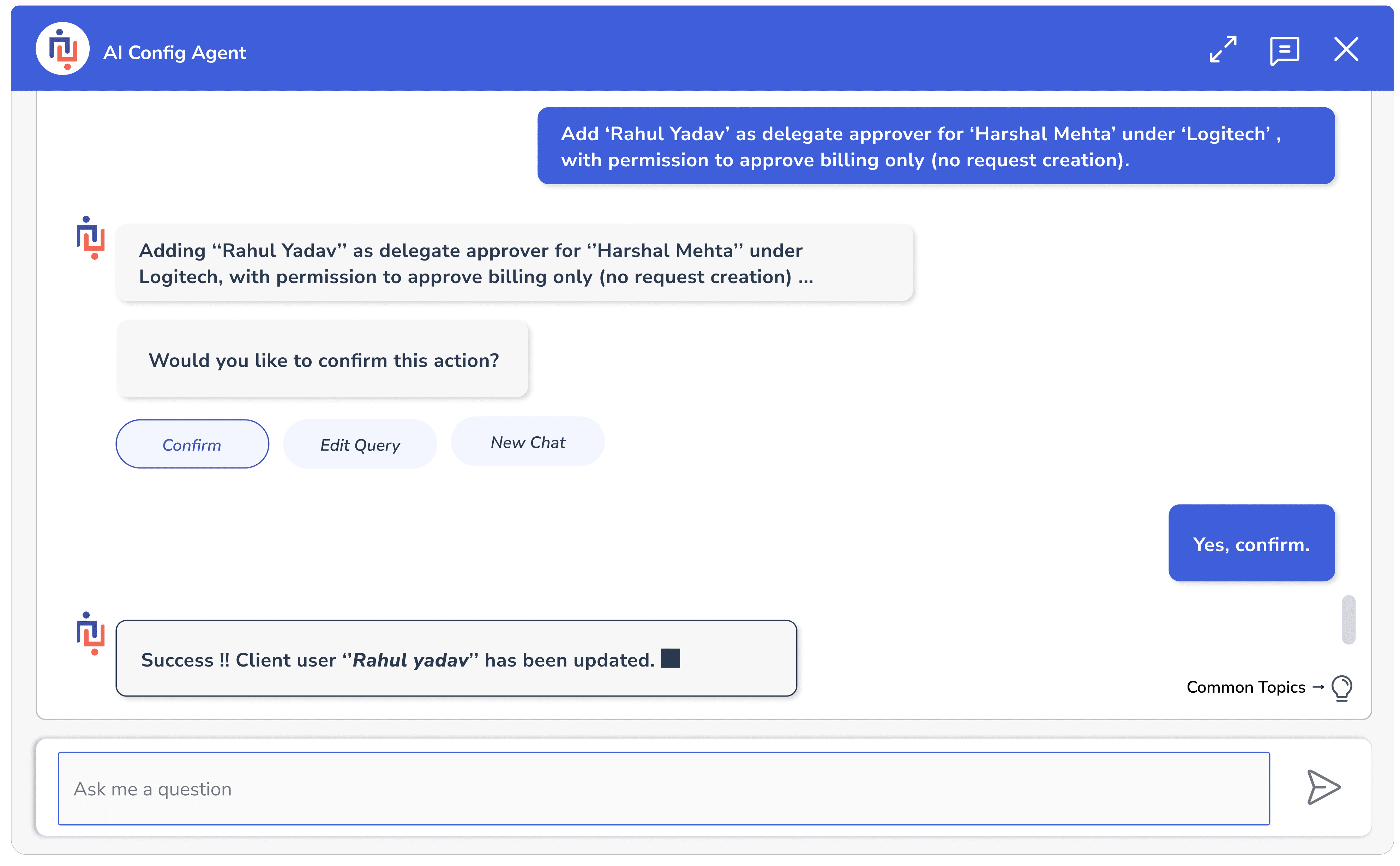
Here are some AI-Assisted Task Screens
Outcome Metrics (AI Config Agent Impact)
Here’s the notion link :
Low fidelity screen_ showing the AI Config Agent overlay
Low fidelity screen_ showing the AI Config Agent overlay with dummy text.
High fidelity screen_ showing the AI Config Agent overlay with text.
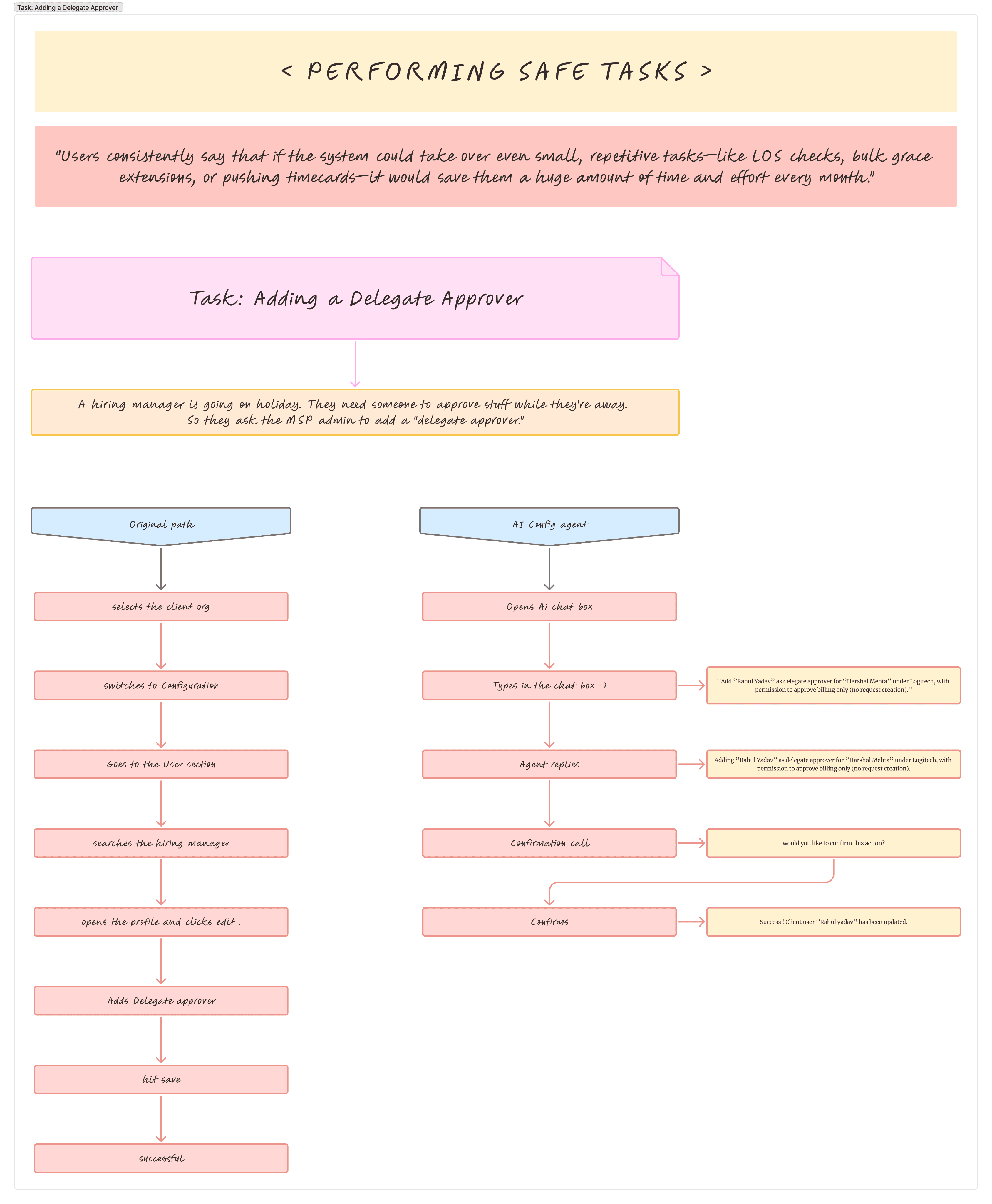
Task_001_ Adding a delegate Approver for a client user
You can see more in my detailed cases study, link is provided in the end.
Before: It took 12–15 minutes on average for users (manual navigation + trial & error)
After: 4–6 minutes with AI assistance
AI guidance reduced the time spent locating and configuring settings.
They Say...
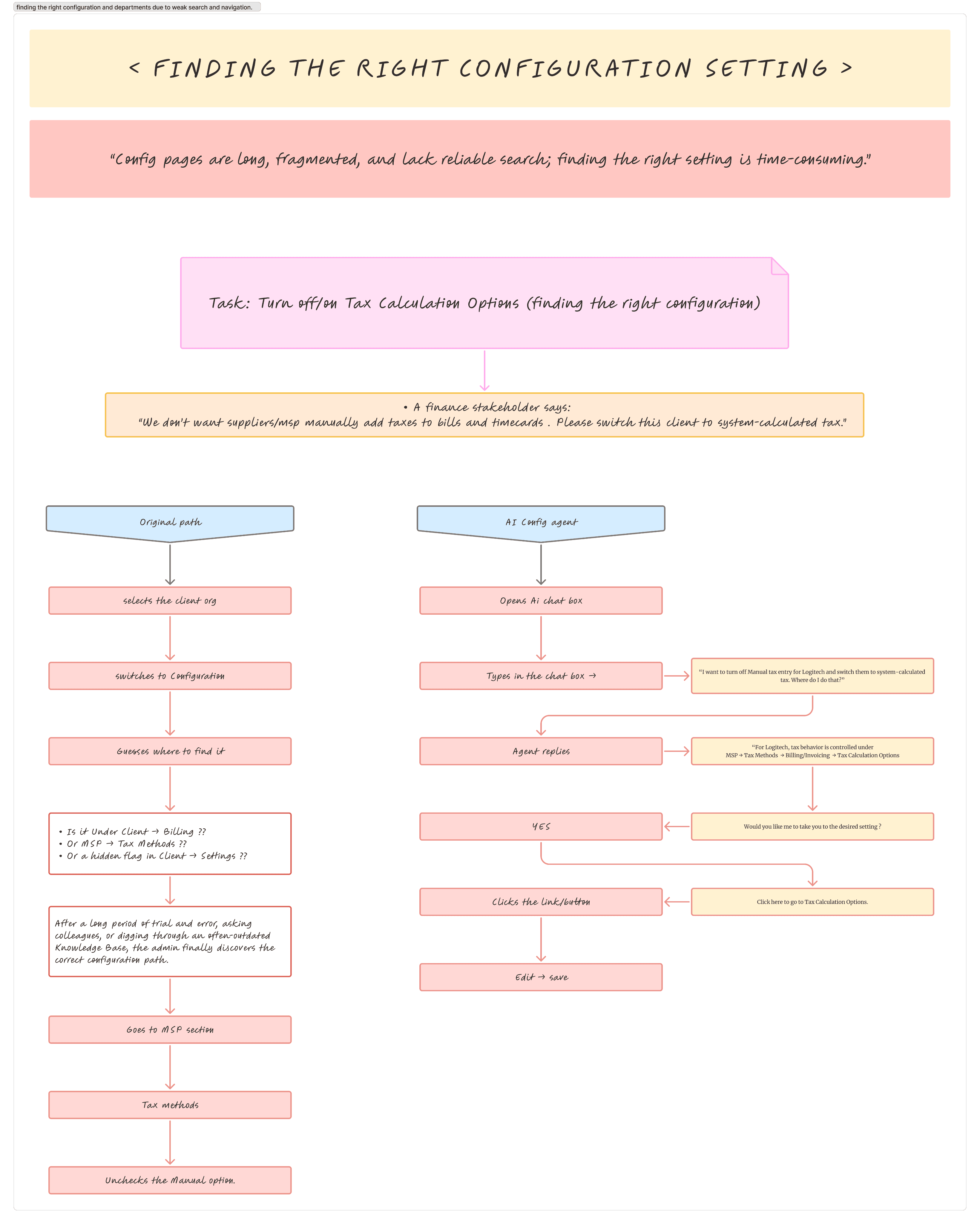
Config pages are long, fragmented, and lack reliable search; finding the right setting is time-consuming
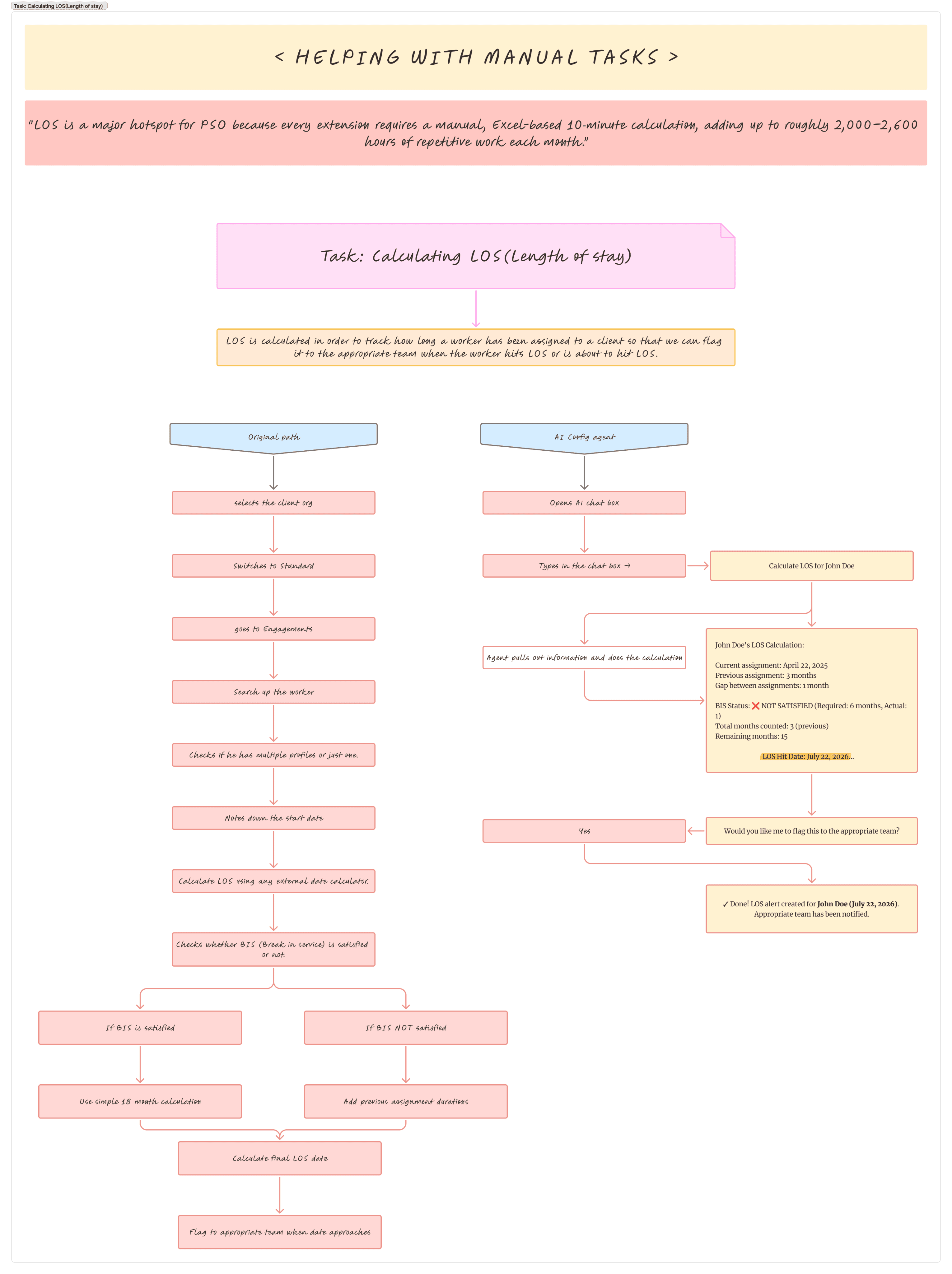
Users spend excessive time on manual, repetitive tasks that are highly time-consuming and could be automated.
Essential data like original start dates, visa information, and audit logs aren't visible in the UI, forcing users to rely on external systems and manual spreadsheets for tracking.
Often mentioned as ester egg hunt
Often mentioned by users
Often mentioned by MSP PSO Team
Problem Discovery
Pain Mapping
AI Exploration
Design Validation
What does Magnit exactly do?
This system is where enterprises:
What was the problem?
What is Magnit?
Case Structure
What users were struggling with
Design Opportunity
Prototypes
Outcome
Key takeaways
12-15mins
4-6mins
↓60%
This project is focused on improving the usability of the Configuration section within Magnit’s VMS.
My scope involved understanding existing user workflows, identifying systemic usability issues, and exploring an AI-assisted approach to reduce complexity and task effort.
The work was focused solely on the MSP view of the system.
Despite being used by experienced users, the Configuration section requires heavy reliance on memory and prior knowledge.
Deep nesting and fragmented structure make even routine tasks time-consuming and mentally demanding.
Magnit is a contingent workforce management company.
In simple terms, they help large enterprises manage non-full-time workers — contractors, vendors, temporary workers — at scale.
Magnit’s core product is Vendor Management System (VMS).
Create and manage contingent workforce requests
Work with suppliers and vendors
Track workers through their entire lifecycle
Make sure everything stays compliant, visible, and under control
Understanding the Configuration problem through internal research
Identifying key user pain points and systemic issues
Exploring an AI-assisted design opportunity
Validating the approach through task journeys and prototypes
The configuration area in Magnit feels less organized, often with ad-hoc placement of items, making it harder to understand and navigate.
‘‘
‘‘
‘‘
If LOS were automatic,
a 10-minute extension becomes 2 minutes. Multiplied by 15–20k per month, the savings are huge.
Clients ask why a setting exists or works a certain way, product documentation doesn’t always provide rationale.
MSP Client Services (VMS only)
PSO Team (Pushpendra & Suraj)
MSP Client Services (VMS only)
Task Journeys
Ai Agent Flow
Prototypes
I mapped three high-frequency configuration tasks to compare the current workflow against an AI-assisted approach, focusing on task time, number of steps, and cognitive effort.
Agent Bot flows were designed to define how the agent would guide, confirm, and warn users at key decision points, ensuring control remains with the user while reducing uncertainty.
Wanna read my detailed case study??
And here's a demo :